Instructional Designer Hiring Checklist - Complete Vetting Guide
TL;DR: Hiring the right instructional designer requires evaluating technical skills, portfolio quality, industry experience, and cultural fit. This comprehensive checklist covers 12 essential vetting stages—from defining requirements to onboarding—helping L&D leaders avoid costly hiring mistakes and find designers who deliver measurable learning outcomes.
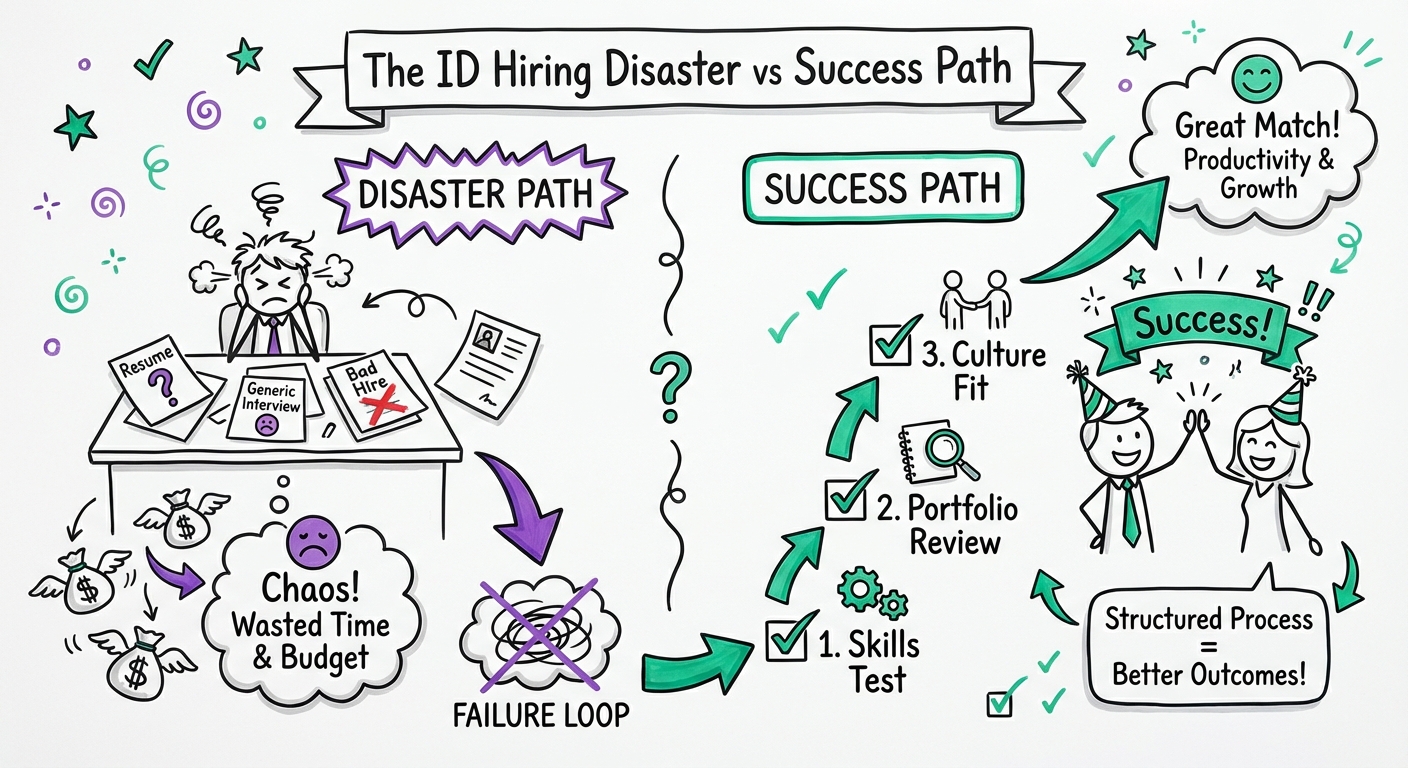
Introduction: Why Most ID Hiring Processes Fail
The instructional design hiring landscape has fundamentally changed. With 73% of organizations reporting skills gaps in their L&D teams and the average cost of a bad hire reaching $17,000 according to CareerBuilder research, getting your ID hiring process right isn't just important—it's business-critical.
Yet most L&D leaders approach instructional designer hiring with the same generic process they'd use for any role. They post a job description, review resumes, conduct interviews, and hope for the best. The result? A 46% failure rate for new hires within the first 18 months, with "lack of proper vetting" cited as the primary culprit.
This guide provides a systematic, comprehensive checklist for vetting instructional designers—whether you're hiring full-time employees, contractors, or engaging freelancers through platforms like Learnexus. You'll learn exactly what to evaluate at each stage, which red flags to watch for, and how to structure your process for consistent, successful outcomes.
Stage 1: Define Your Requirements with Precision
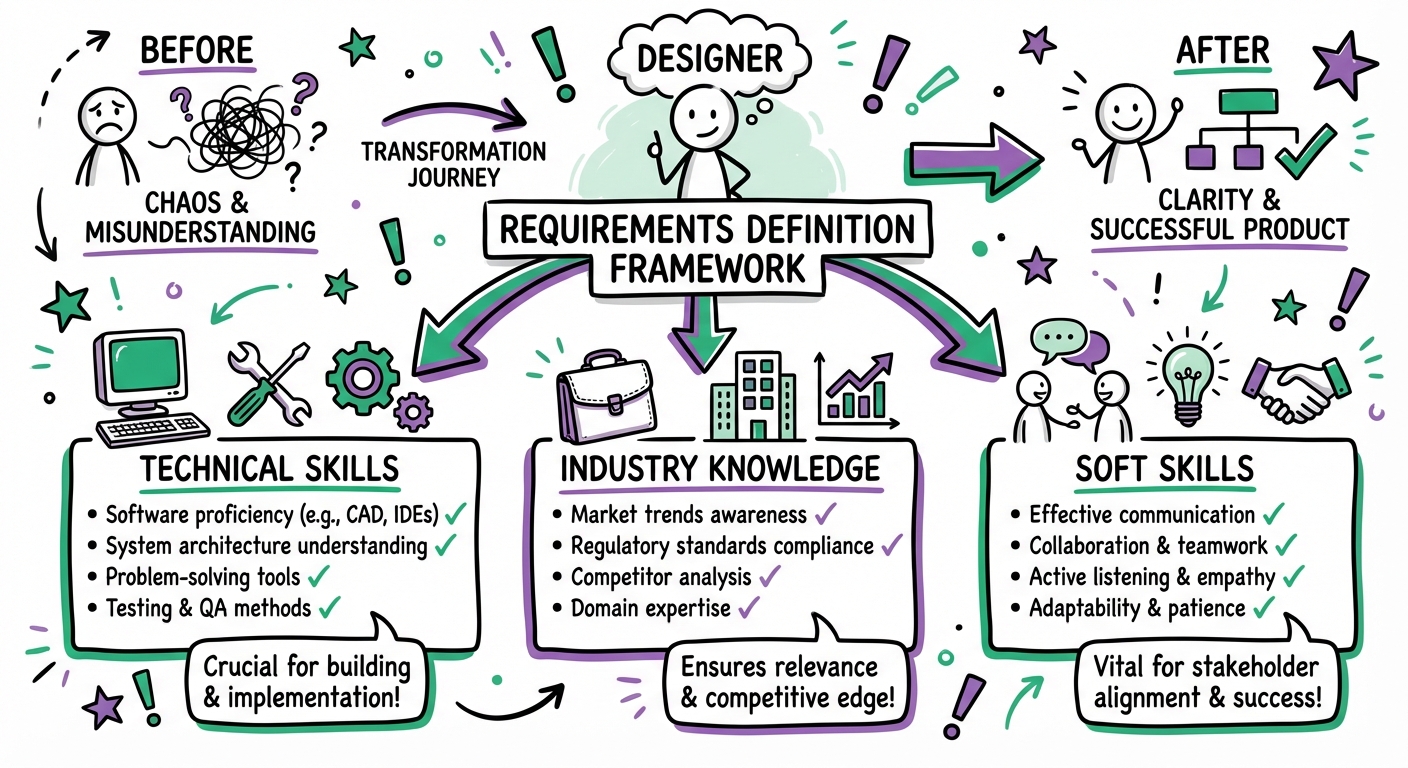
Before you can vet candidates effectively, you need crystal-clear requirements. Vague job descriptions attract vague candidates.
Technical Requirements Checklist
Authoring Tools Proficiency:
- Articulate Storyline 360 (specify version and complexity level needed)
- Adobe Captivate
- Rise 360
- Camtasia or other video editing tools
- LMS platforms (specify which: Cornerstone, Workday, SAP SuccessFactors, etc.)
- xAPI/SCORM compliance knowledge
Design and Development Skills:
- Graphic design capabilities (Adobe Creative Suite, Canva, Figma)
- Basic HTML/CSS (if custom development needed)
- JavaScript (for advanced interactions)
- Accessibility standards (WCAG 2.1 AA compliance)
- Responsive design principles
Instructional Design Methodologies:
- ADDIE model experience
- SAM (Successive Approximation Model)
- Bloom's Taxonomy application
- Adult learning theory (Knowles, Gagné)
- Kirkpatrick evaluation model
- Action Mapping (Cathy Moore methodology)
Project-Specific Requirements
Industry Experience:
- Your specific industry (healthcare, finance, technology, manufacturing, etc.)
- Regulatory compliance training (if applicable)
- Technical/software training
- Soft skills/leadership development
- Sales enablement
- Onboarding programs
Project Scope Indicators:
- Average project length you need support for
- Team collaboration requirements (solo vs. team player)
- Stakeholder management complexity
- Budget constraints
- Timeline pressures
- Volume of content (hours of training per month/quarter)
Pro Tip: Create a weighted scoring system for your requirements. Not everything is equally important. Assign point values (1-5) to each requirement based on criticality to your specific needs.
Stage 2: Portfolio Deep-Dive Analysis
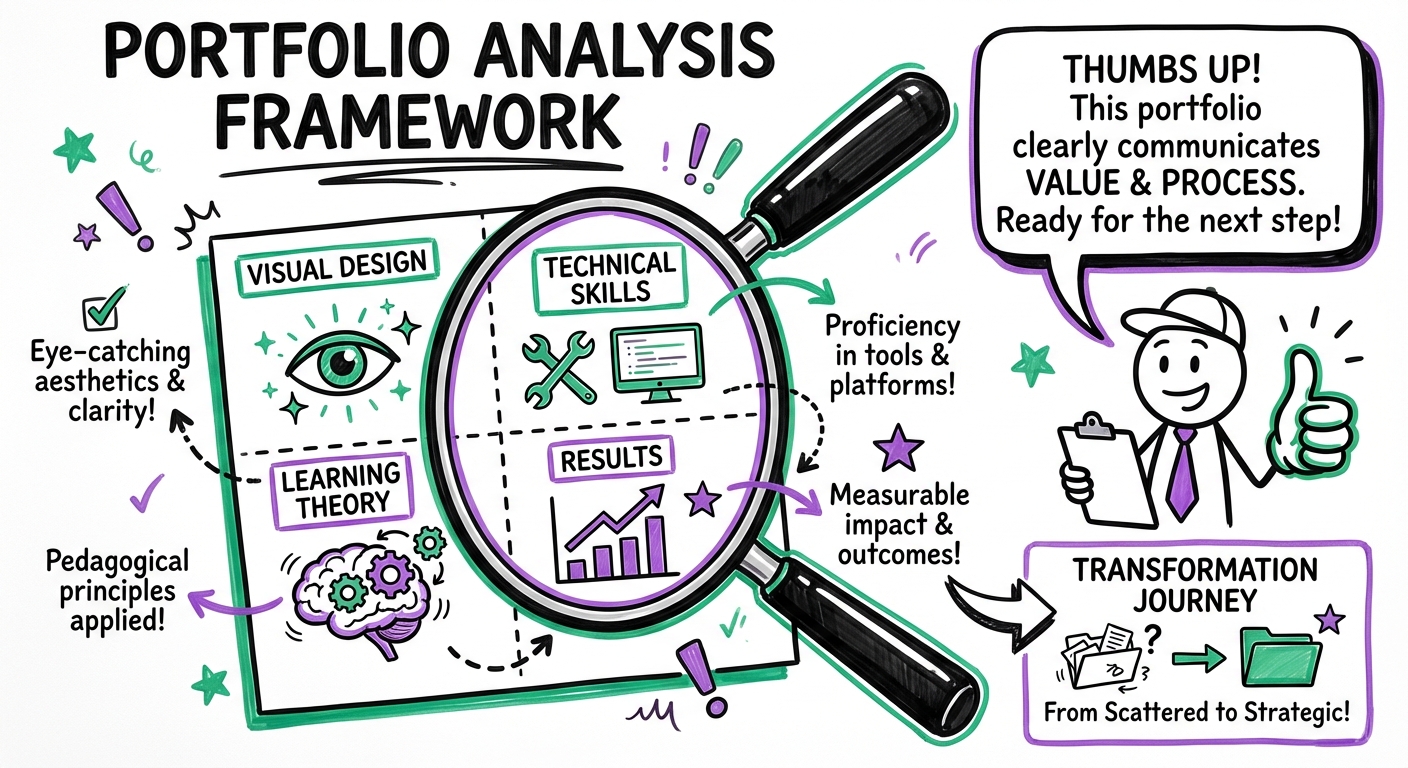
An instructional designer's portfolio tells you more than any resume ever could. But most hiring managers don't know what to look for beyond "does it look nice?"
Portfolio Evaluation Checklist
Visual Design Quality:
- Clean, professional aesthetic
- Consistent branding and style
- Appropriate use of white space
- Readable typography choices
- Color schemes that enhance (not distract from) learning
- High-quality graphics and images
Instructional Soundness:
- Clear learning objectives stated
- Logical content flow and structure
- Appropriate assessment strategies
- Meaningful practice opportunities
- Real-world application examples
- Scenario-based learning (not just information dumps)
Technical Execution:
- Smooth navigation and user experience
- Interactive elements that serve learning goals
- Mobile responsiveness (test on multiple devices)
- Fast load times
- No broken links or technical errors
- Accessibility features implemented
Diversity of Work:
- Multiple project types (eLearning, ILT, blended, microlearning)
- Various industries represented
- Different complexity levels
- Both custom and rapid development examples
- Video-based learning samples
- Job aids and reference materials
Red Flags in Portfolios
Watch out for these warning signs:
- Template-Heavy Work: Everything looks like it came from the same Articulate template with minimal customization
- No Context Provided: Samples without explanation of objectives, audience, or outcomes
- Outdated Examples: Nothing newer than 2-3 years (technology and best practices evolve)
- Style Over Substance: Flashy animations and effects that don't support learning
- Limited Range: Only one type of project or industry
- No Measurable Results: Can't articulate impact or effectiveness of their work
Portfolio Review Questions to Ask
During your portfolio review conversation, ask:
- "Walk me through your design process for this project."
- "What constraints did you face, and how did you overcome them?"
- "How did you measure the effectiveness of this training?"
- "What would you do differently if you could redesign this now?"
- "How did you handle stakeholder feedback on this project?"
Expert Insight: The best instructional designers can articulate the "why" behind every design decision. If a candidate can't explain their rationale, they may be following templates without understanding instructional principles.
Stage 3: Skills Assessment and Practical Testing
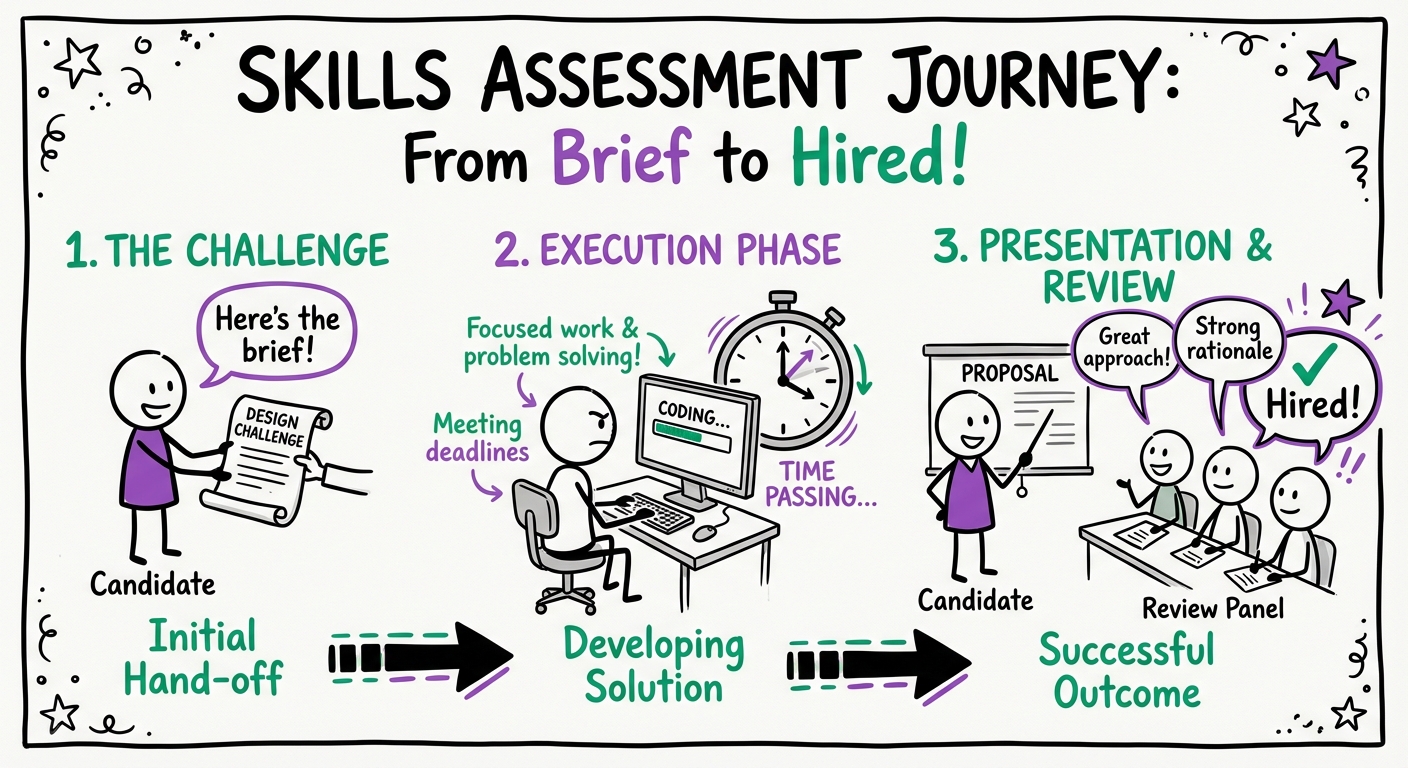
Resumes and portfolios can be misleading. Skills assessments reveal actual capabilities.
Practical Assessment Options
Option 1: Mini Design Challenge (Recommended)
Give candidates a realistic scenario:
"Design a 5-minute microlearning module teaching new sales representatives how to handle price objections. Provide a storyboard or rapid prototype. You have 3-4 hours to complete this."
Evaluation Criteria:
- Needs analysis approach
- Learning objective clarity
- Instructional strategy appropriateness
- Creativity and engagement factors
- Practical application opportunities
- Assessment alignment
- Time management (did they complete it?)
Option 2: Portfolio Critique Exercise
Show them a poorly designed eLearning module and ask them to:
- Identify problems
- Suggest improvements
- Prioritize changes based on impact
- Estimate redesign timeline and effort
This reveals their analytical thinking and instructional design expertise.
Option 3: Tool Proficiency Test
For critical tools, provide a hands-on assessment:
- "Create a branching scenario in Storyline with at least 3 decision points"
- "Build a responsive Rise course section with embedded video and knowledge check"
- "Demonstrate how you'd make this module WCAG 2.1 AA compliant"
Skills Assessment Best Practices
Do:
- Pay candidates for extensive assessments (anything over 2 hours)
- Provide clear instructions and success criteria
- Set realistic deadlines
- Use scenarios relevant to your actual work
- Evaluate process, not just final product
Don't:
- Ask for free work on actual company projects
- Make assessments unnecessarily complex
- Fail to provide feedback
- Use identical tests for different role levels
- Ignore time zone differences for remote candidates
Comparison: Assessment Methods
| Assessment Type | Time Required | Reveals | Best For |
|---|---|---|---|
| Design Challenge | 3-4 hours | Creative process, technical skills, time management | Mid to senior roles |
| Portfolio Critique | 30-45 minutes | Analytical thinking, ID knowledge, communication | All levels |
| Tool Proficiency Test | 1-2 hours | Technical capabilities, efficiency | Roles requiring specific tools |
| Case Study Presentation | 1 hour prep + 30 min present | Strategic thinking, stakeholder communication | Senior/lead roles |
| Collaborative Design Session | 1 hour | Teamwork, adaptability, real-time problem solving | Team-based roles |
Stage 4: Interview Structure and Key Questions
Structured interviews with consistent questions across candidates reduce bias and improve hiring outcomes by 26% according to research from the Journal of Applied Psychology.
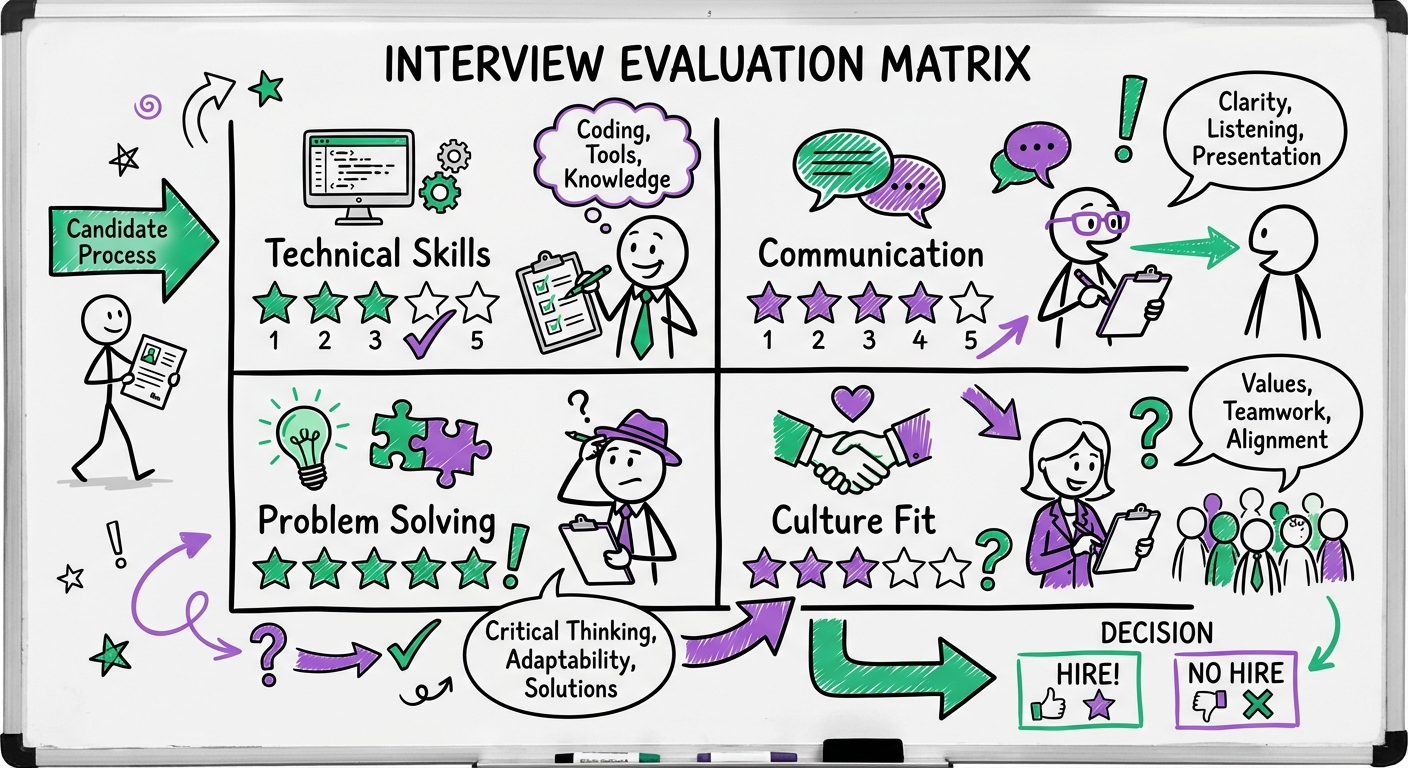
Interview Stage 1: Technical Competency (45-60 minutes)
Instructional Design Methodology Questions:
-
"Describe your typical instructional design process from needs analysis to evaluation."
- What to listen for: Systematic approach, flexibility, stakeholder involvement
-
"How do you determine the appropriate delivery method for a learning solution?"
- What to listen for: Consideration of audience, content, constraints, and learning objectives
-
"Walk me through how you'd conduct a needs analysis for [specific scenario relevant to your organization]."
- What to listen for: Question-asking skills, data gathering methods, analysis approach
-
"How do you ensure your training is accessible to learners with disabilities?"
- What to listen for: WCAG knowledge, practical implementation, testing methods
-
"Describe a time when you had to simplify complex technical content. What was your approach?"
- What to listen for: Chunking strategies, analogies, progressive disclosure, audience analysis
Technical Tool Questions:
-
"What's your process for deciding between custom Storyline development and rapid Rise development?"
- What to listen for: Strategic thinking, understanding of trade-offs, business acumen
-
"How do you optimize eLearning modules for performance and load time?"
- What to listen for: Technical knowledge, user experience focus, testing practices
-
"Describe your experience with LMS implementation and SCORM/xAPI."
- What to listen for: Depth of technical understanding, troubleshooting capabilities
Interview Stage 2: Behavioral and Situational (45-60 minutes)
Stakeholder Management:
-
"Tell me about a time when a subject matter expert disagreed with your instructional approach. How did you handle it?"
- What to listen for: Diplomacy, evidence-based reasoning, compromise skills
-
"Describe a situation where project requirements changed significantly mid-development. What did you do?"
- What to listen for: Adaptability, communication, problem-solving, scope management
Project Management:
-
"How do you manage multiple projects with competing deadlines?"
- What to listen for: Prioritization methods, communication strategies, realistic expectations
-
"Walk me through how you estimate project timelines and effort."
- What to listen for: Systematic approach, experience-based insights, buffer inclusion
Learning Measurement:
-
"How do you measure the effectiveness of your training programs?"
- What to listen for: Beyond Level 1 evaluations, business impact focus, data literacy
-
"Describe a training program that didn't achieve its intended results. What did you learn?"
- What to listen for: Self-awareness, continuous improvement mindset, analytical thinking
Interview Stage 3: Cultural Fit and Motivation (30 minutes)
- "What attracted you to instructional design as a career?"
- "Describe your ideal work environment and team structure."
- "How do you stay current with instructional design trends and best practices?"
- "What's your approach to giving and receiving feedback?"
- "Where do you see instructional design heading in the next 3-5 years?"
- "Why are you interested in this specific role and our organization?"
Red Flags During Interviews
- Inability to explain design decisions: "I just thought it looked good"
- Blaming others for project failures: No ownership or accountability
- Dismissive of accessibility: "That's not really necessary for our audience"
- Rigid methodology: "I only use ADDIE" or "SAM is the only way"
- No questions for you: Lack of curiosity about the role or organization
- Overemphasis on tools: Focuses on software features rather than learning outcomes
- Vague about results: Can't articulate impact or effectiveness metrics
Stage 5: Reference Checks That Actually Matter
Most reference checks are perfunctory. Make yours count by asking specific, insightful questions.
Reference Check Checklist
Before the Call:
- Confirm the reference's relationship to the candidate
- Verify they worked together during the timeframe claimed
- Prepare specific questions based on your needs
- Have the candidate's portfolio available for reference
Questions for Former Managers:
- "What types of projects did [candidate] work on, and what was the quality of their output?"
- "How did [candidate] handle tight deadlines and competing priorities?"
- "Can you describe their collaboration style with SMEs and stakeholders?"
- "What areas did [candidate] excel in, and where did they need development?"
- "Would you hire them again? Why or why not?"
- "On a scale of 1-10, how would you rate their instructional design skills? What would make them a 10?"
Questions for Peers/Colleagues:
- "How would you describe [candidate's] communication style?"
- "Did they contribute ideas and solutions proactively?"
- "How did they handle feedback and criticism?"
- "What was it like collaborating with them on projects?"
Questions for Direct Reports (if applicable):
- "How would you describe [candidate's] leadership and mentoring style?"
- "Did they provide clear direction and constructive feedback?"
- "How did they handle conflicts or performance issues?"
What to Listen For
- Enthusiasm level: Genuine excitement vs. lukewarm responses
- Specific examples: Concrete stories vs. generic platitudes
- Unprompted positives: What they volunteer without being asked
- Hesitations and pauses: What they're not saying
- Consistency: Does this align with what the candidate told you?
Pro Tip: Ask "What question should I have asked you that I didn't?" This often reveals the most valuable insights.
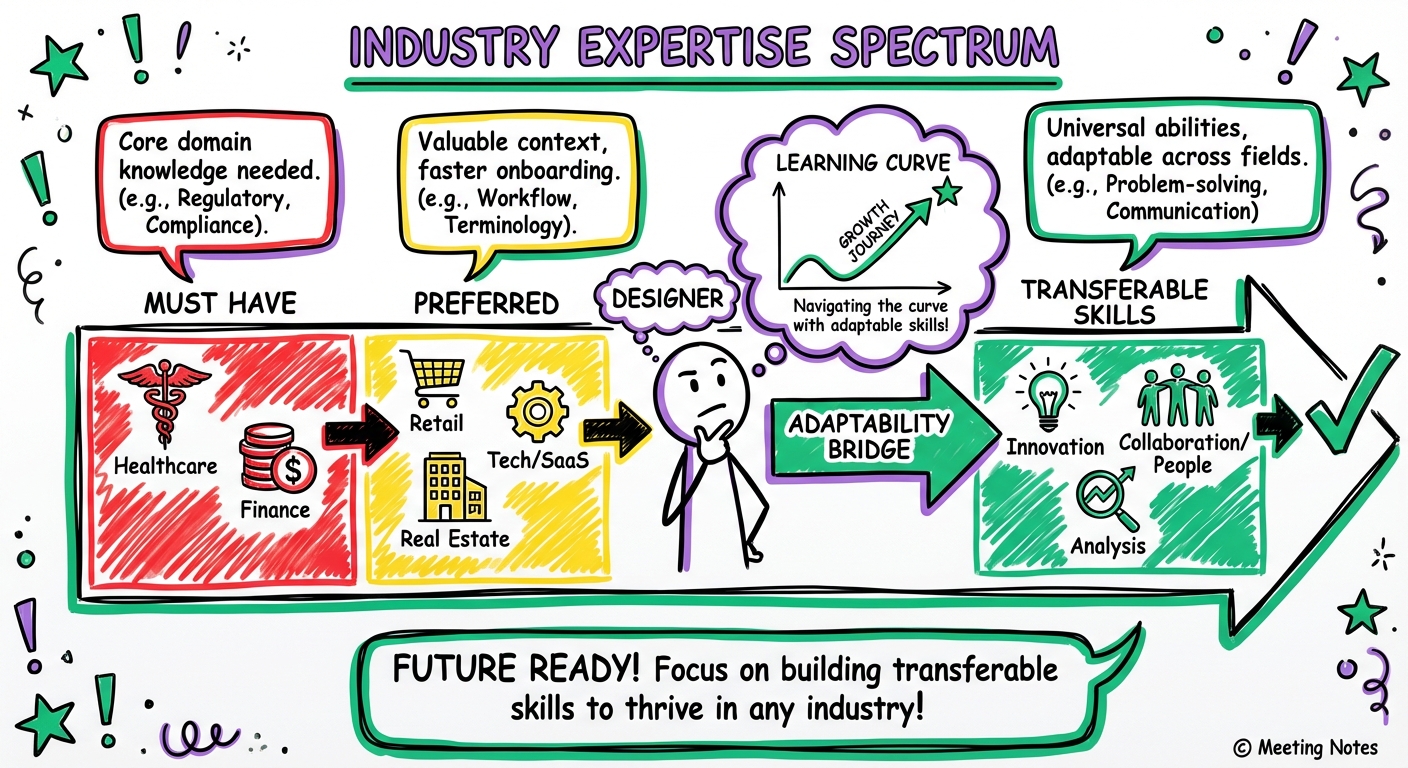
Stage 6: Evaluating Industry and Domain Expertise
Industry-specific knowledge can dramatically reduce ramp-up time and improve training effectiveness.
Industry Experience Evaluation Matrix
| Industry Factor | Critical (Must-Have) | Preferred (Nice-to-Have) | Not Required |
|---|---|---|---|
| Regulatory compliance knowledge | Healthcare, Finance, Pharma | Manufacturing, Energy | Tech, Retail |
| Technical product training | SaaS, Technology | Manufacturing | Soft skills programs |
| Sales enablement | Sales-focused roles | All customer-facing | Internal operations |
| Change management | Large transformations | Any organizational change | Stable environments |
| Safety training | Manufacturing, Construction | Healthcare, Logistics | Office environments |
Questions to Assess Domain Expertise
For Healthcare:
- "How do you approach HIPAA compliance in training materials?"
- "Describe your experience with clinical education vs. administrative training."
- "How do you handle medical terminology and ensure accuracy?"
For Financial Services:
- "What's your experience with regulatory training (SEC, FINRA, etc.)?"
- "How do you make compliance training engaging rather than just checking boxes?"
- "Describe a complex financial concept you've had to teach."
For Technology/SaaS:
- "How do you keep training current with rapid product updates?"
- "What's your approach to technical documentation vs. training?"
- "Describe your experience with software simulation tools."
For Manufacturing:
- "How do you design effective safety training?"
- "What's your experience with hands-on/practical training components?"
- "How do you address multilingual and literacy-diverse audiences?"
When Industry Experience Matters Less
Industry expertise is less critical when:
- You have strong internal SMEs who can provide content
- The training focuses on universal soft skills (leadership, communication)
- You're willing to invest in longer onboarding
- The designer has exceptional learning agility and research skills
- You're using a platform like Learnexus where you can access specialists for specific projects
Expert Insight: A designer with strong instructional design fundamentals and excellent SME collaboration skills can often outperform someone with industry experience but weaker ID capabilities. Prioritize accordingly.
Stage 7: Assessing Soft Skills and Cultural Fit
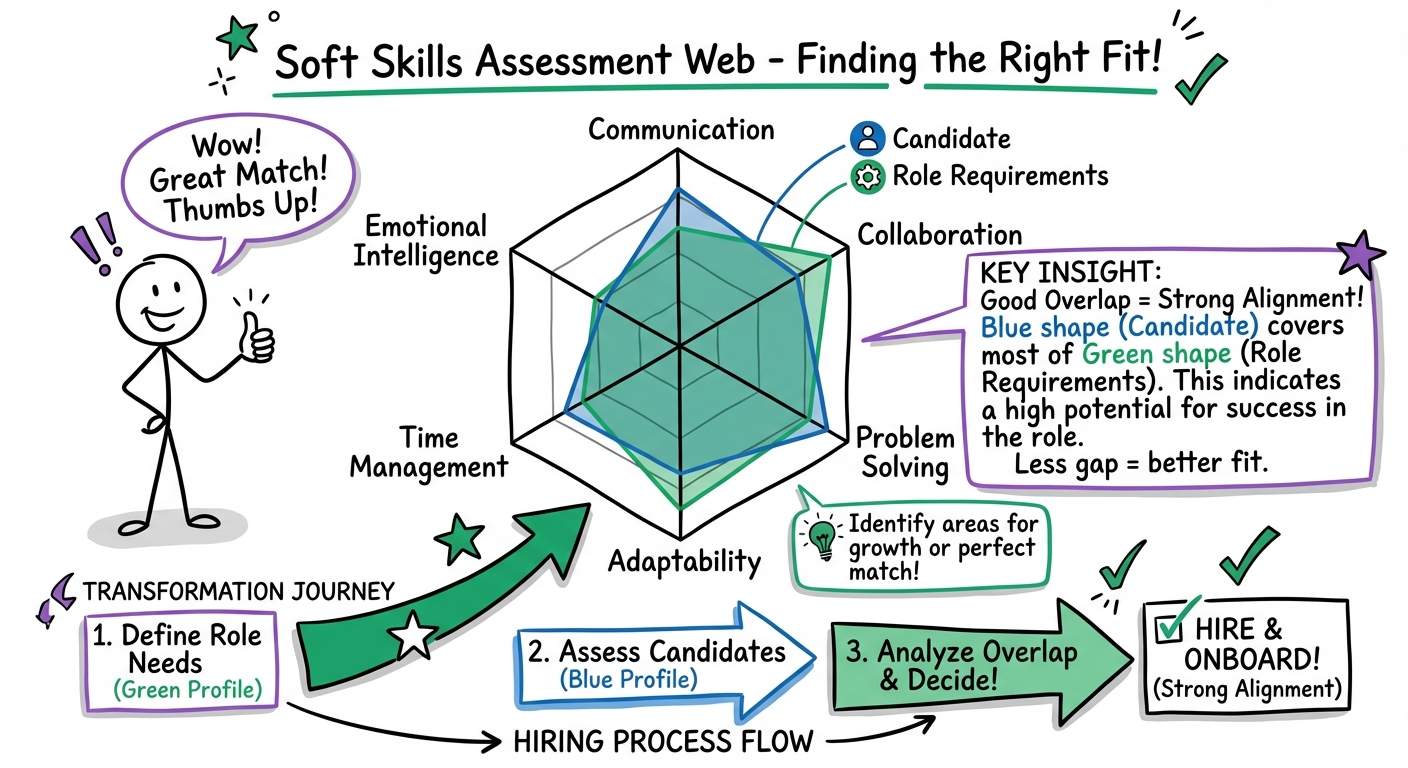
Technical skills get designers hired. Soft skills determine whether they succeed.
Critical Soft Skills Checklist
Communication Skills:
- Explains complex concepts clearly
- Active listening demonstrated
- Adapts communication style to audience
- Written communication is clear and professional
- Asks clarifying questions
- Provides constructive feedback diplomatically
Collaboration and Teamwork:
- Describes positive team experiences
- Shows flexibility in working styles
- Values diverse perspectives
- Handles conflict constructively
- Shares credit appropriately
- Supports team members
Problem-Solving and Critical Thinking:
- Approaches problems systematically
- Considers multiple solutions
- Evaluates trade-offs thoughtfully
- Learns from failures
- Asks "why" before jumping to solutions
- Balances creativity with practicality
Adaptability and Learning Agility:
- Embraces change positively
- Learns new tools quickly
- Adjusts to feedback readily
- Handles ambiguity well
- Stays current with industry trends
- Demonstrates growth mindset
Time Management and Organization:
- Meets deadlines consistently
- Prioritizes effectively
- Manages multiple projects
- Communicates proactively about delays
- Plans realistically
- Documents work systematically
Cultural Fit Assessment
Cultural fit doesn't mean "just like us." It means alignment with your organization's values and work style.
Key Questions:
- "Describe your ideal work environment. What helps you do your best work?"
- "How do you prefer to receive feedback and recognition?"
- "What's your approach to work-life balance?"
- "How do you handle situations where you disagree with a decision?"
- "What role does collaboration play in your work process?"
Evaluate Alignment With:
- Your team's communication norms (formal vs. casual, synchronous vs. asynchronous)
- Decision-making processes (consensus-driven vs. hierarchical)
- Pace and urgency (startup speed vs. deliberate corporate)
- Innovation vs. standardization preferences
- Remote/hybrid/in-office expectations
Red Flags for Cultural Misalignment
- Significantly different work style preferences than your team operates
- Values that conflict with organizational priorities
- Unrealistic expectations about autonomy or resources
- Dismissive of your organization's constraints
- Poor fit with your team's communication style
- Misaligned career goals (they want what you can't provide)
Important: Cultural fit should never be used to exclude diverse perspectives or maintain homogeneity. Focus on values and work style alignment, not personality cloning.
Stage 8: Compensation and Contract Negotiation
Understanding market rates and structuring fair compensation is crucial for attracting and retaining top talent.
2024 Instructional Designer Compensation Benchmarks
Full-Time Employees (US Market):
| Experience Level | Salary Range | Typical Benefits |
|---|---|---|
| Entry-Level (0-2 years) | $50,000 - $65,000 | Standard benefits package |
| Mid-Level (3-5 years) | $65,000 - $85,000 | Standard + professional development |
| Senior (6-10 years) | $85,000 - $110,000 | Enhanced benefits + bonus potential |
| Lead/Principal (10+ years) | $110,000 - $140,000+ | Full package + equity options |
Freelance/Contract Rates:
| Experience Level | Hourly Rate | Project Rate (per finished hour) |
|---|---|---|
| Entry-Level | $35 - $50 | $1,000 - $1,500 |
| Mid-Level | $50 - $75 | $1,500 - $2,500 |
| Senior | $75 - $125 | $2,500 - $4,000 |
| Specialist/Expert | $125 - $200+ | $4,000 - $6,000+ |
Geographic Adjustments:
- Major tech hubs (SF, NYC, Seattle): +20-30%
- Mid-size cities: Baseline
- Remote-first roles: Increasingly location-agnostic
- International rates: Vary significantly by country
Factors That Influence Compensation
Premium Skills (Add 10-20%):
- Advanced development (JavaScript, HTML5)
- Video production and editing
- 3D/VR/AR experience
- Data analytics and learning measurement
- LMS administration expertise
- Specialized industry certifications
Project Complexity Multipliers:
- High-stakes compliance training: 1.2-1.5x
- Custom game-based learning: 1.5-2x
- VR/AR immersive experiences: 2-3x
- Rapid turnaround requirements: 1.3-1.5x
Contract Structure Considerations
For Freelancers/Contractors:
Hourly vs. Project-Based:
- Hourly: Better for undefined scope, ongoing support, iterative projects
- Project-based: Better for fixed deliverables, budget certainty, defined scope
Key Contract Terms:
- Scope of work clearly defined
- Deliverables and acceptance criteria
- Timeline and milestones
- Payment terms (net 30, 50% upfront, milestone-based)
- Revision rounds included
- Intellectual property ownership
- Confidentiality and NDA
- Termination clauses
- Tools and resources provided
Using Learnexus for Contract Hiring:
Learnexus streamlines the contract hiring process by:
- Pre-vetted designers with verified portfolios
- Transparent pricing and rate negotiation
- Built-in contract templates and payment protection
- Project management tools
- Quality assurance and dispute resolution
- Access to specialists for specific project needs
This reduces your vetting time by 60-70% while maintaining quality standards.
Negotiation Best Practices
Do:
- Research market rates thoroughly
- Consider total compensation (not just salary)
- Be transparent about budget constraints
- Value specialized expertise appropriately
- Build in performance incentives
- Offer professional development opportunities
Don't:
- Lowball experienced professionals
- Make compensation the only differentiator
- Ignore geographic cost-of-living differences
- Forget to factor in benefits value
- Rush the negotiation process
- Make promises you can't keep
Pro Tip: For contract work, consider offering a "trial project" at a slightly higher rate to evaluate fit before committing to a long-term engagement. This reduces risk for both parties.
Stage 9: Trial Period and Onboarding Strategy
Even with thorough vetting, a structured trial period and onboarding process are essential for long-term success.
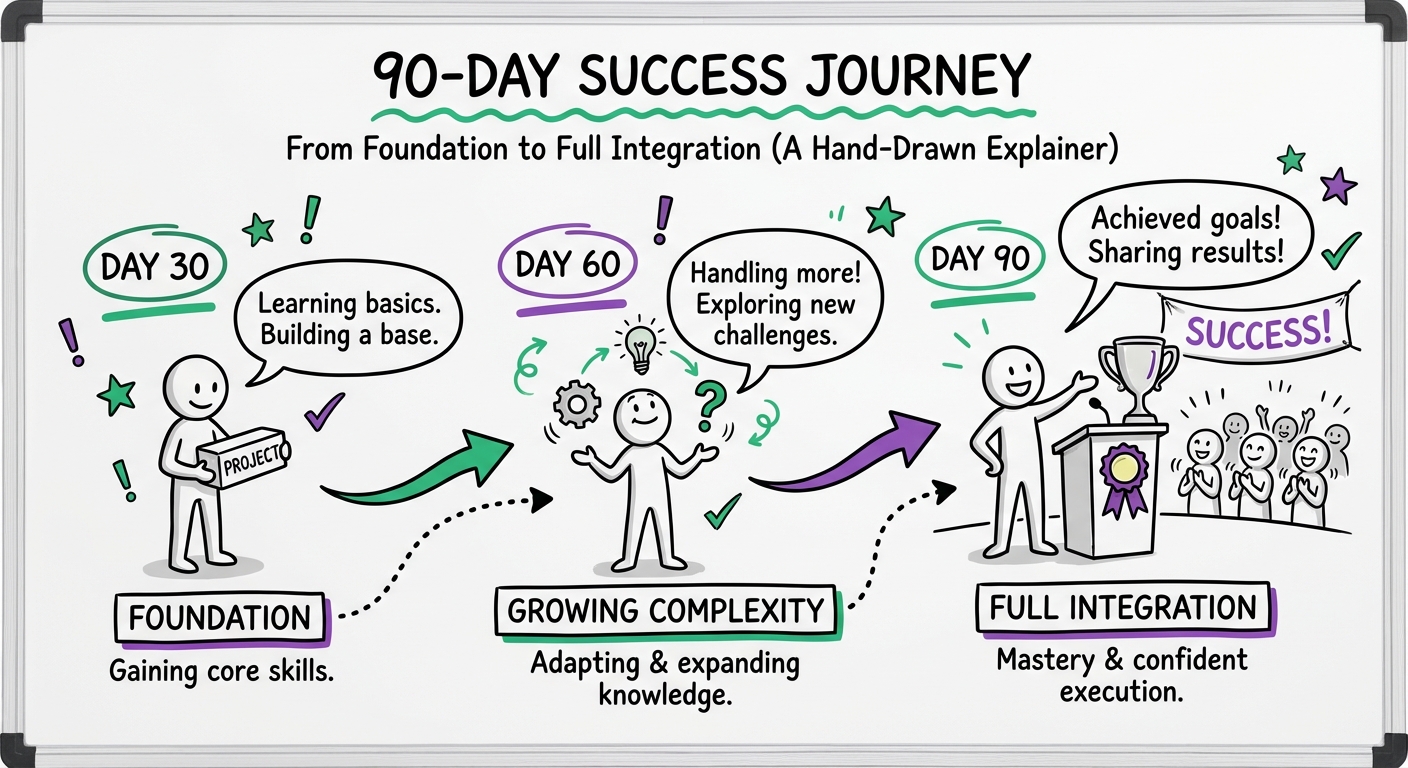
30-60-90 Day Trial Period Framework
First 30 Days: Foundation and Assessment
Week 1-2: Orientation and Setup
- Complete HR/administrative onboarding
- Set up tools and system access
- Review brand guidelines and templates
- Meet key stakeholders and team members
- Understand organizational structure and processes
- Review 3-5 existing training programs
- Assign a mentor or buddy
Week 3-4: First Project Assignment
- Assign a small, well-defined project
- Provide clear success criteria
- Schedule regular check-ins (daily or every other day)
- Observe collaboration and communication style
- Evaluate technical execution
- Assess time management and organization
30-Day Evaluation Checkpoint:
- Technical skills demonstration
- Communication effectiveness
- Cultural fit observations
- Areas of strength
- Development needs identified
- Go/no-go decision point
Days 31-60: Increasing Complexity
- Assign more complex project with multiple stakeholders
- Involve in team meetings and planning sessions
- Introduce to broader organizational context
- Evaluate stakeholder management skills
- Assess problem-solving under pressure
- Review quality and consistency of work
60-Day Evaluation Checkpoint:
- Project quality assessment
- Stakeholder feedback collection
- Team integration evaluation
- Independence and initiative demonstrated
- Refinement of development plan
Days 61-90: Full Integration
- Assign projects at expected ongoing complexity
- Reduce supervision to normal levels
- Include in strategic planning discussions
- Evaluate contribution to team culture
- Assess long-term potential
- Finalize development plan
90-Day Final Evaluation:
- Comprehensive performance review
- Stakeholder feedback synthesis
- Cultural fit confirmation
- Long-term fit decision
- Compensation adjustment (if applicable)
- Career development planning
Onboarding Checklist for Instructional Designers
Technical Setup:
- Software licenses provisioned
- LMS access configured
- File storage and organization system explained
- Version control processes documented
- Template library access provided
- Asset libraries and resources shared
Process and Workflow:
- Project intake process explained
- Approval workflows documented
- Communication protocols established
- Meeting cadences defined
- Documentation requirements clarified
- Quality assurance processes reviewed
Organizational Context:
- Company history and culture overview
- Strategic priorities and goals
- Key stakeholders identified
- Organizational chart provided
- Department objectives clarified
- Success metrics defined
Relationship Building:
- Introduction to L&D team
- Meet key SMEs and stakeholders
- Connect with IT/technical support
- Identify peer mentors
- Join relevant communities of practice
- Schedule regular 1-on-1s with manager
Red Flags During Trial Period
Watch for these warning signs:
- Consistent missed deadlines without proactive communication
- Quality issues that don't improve with feedback
- Resistance to feedback or defensive responses
- Poor stakeholder relationships or communication breakdowns
- Lack of initiative or waiting to be told what to do
- Cultural misalignment that creates team friction
- Technical skill gaps larger than represented
- Disorganization that impacts project delivery
Important: Address concerns immediately. Don't wait until the end of the trial period. Early intervention can resolve many issues.
Stage 10: Evaluating Remote vs. On-Site Capabilities
The shift to remote work has fundamentally changed ID hiring. Understanding how to evaluate remote work capabilities is now essential.
Remote Work Competency Checklist
Technical Infrastructure:
- Reliable high-speed internet connection
- Professional workspace setup
- Appropriate computer/hardware specifications
- Backup power/internet solutions
- Familiarity with collaboration tools (Zoom, Teams, Slack)
- Cloud-based workflow comfort
Communication Skills for Remote Work:
- Proactive communication style
- Clear written communication
- Comfortable with video calls
- Responsive to messages (within reasonable timeframes)
- Documents work and decisions effectively
- Asks questions when needed
Self-Management Capabilities:
- Demonstrated ability to work independently
- Strong time management without supervision
- Self-motivated and disciplined
- Manages distractions effectively
- Sets boundaries and maintains work-life balance
- Takes initiative on problem-solving
Remote Collaboration Experience:
- Previous remote work experience
- Comfortable with asynchronous collaboration
- Uses project management tools effectively
- Participates actively in virtual meetings
- Builds relationships remotely
- Navigates time zone differences (if applicable)
Questions to Assess Remote Work Fit
- "Describe your remote work setup and typical workday structure."
- "How do you stay connected and engaged with remote teams?"
- "Tell me about a time when remote communication broke down. How did you handle it?"
- "What tools and strategies do you use to stay organized and productive remotely?"
- "How do you handle feelings of isolation or disconnection when working remotely?"
- "Describe your experience collaborating across time zones."
Remote vs. On-Site vs. Hybrid: Decision Matrix
| Factor | Best for Remote | Best for On-Site | Best for Hybrid |
|---|---|---|---|
| Project type | Asynchronous, independent work | Highly collaborative, rapid iteration | Mix of both |
| Team structure | Distributed team | Co-located team | Flexible team |
| Stakeholder access | Digital-first organization | In-person culture | Transitioning organization |
| Designer experience | Senior, self-directed | Junior, needs mentoring | Mid-level |
| Company culture | Remote-first | Office-centric | Flexible/adaptive |
| Budget considerations | Cost-conscious | Premium on collaboration | Balanced approach |
Making Remote Work Successful
For Employers:
- Establish clear communication expectations
- Provide necessary tools and technology
- Create opportunities for connection and culture-building
- Set measurable outcomes rather than monitoring activity
- Offer flexibility while maintaining accountability
- Invest in remote onboarding processes
For Designers:
- Over-communicate rather than under-communicate
- Maintain regular working hours and availability
- Document decisions and rationale
- Participate actively in team activities
- Seek feedback proactively
- Build relationships intentionally
Pro Tip: Consider a "remote work trial" during the interview process. Have the candidate complete their skills assessment remotely and observe their communication, responsiveness, and ability to work independently.
Stage 11: Building Your Instructional Design Team
Whether you're hiring your first ID or building a team, understanding team structure and composition is crucial.
Team Structure Models
Model 1: Centralized L&D Team
- All IDs report to central L&D function
- Serves entire organization
- Pros: Consistency, resource sharing, expertise concentration
- Cons: Can be disconnected from business units, slower response times
**Model 2: Embedded/Distribute